



Skip to content
View in the app

A better way to browse. Learn more.

Radiotrefpunt

A full-screen app on your home screen with push notifications, badges and more.

To install this app on iOS and iPadOS
  1. Tap the Share icon in Safari
  2. Scroll the menu and tap Add to Home Screen.
  3. Tap Add in the top-right corner.
To install this app on Android
  1. Tap the 3-dot menu (⋮) in the top-right corner of the browser.
  2. Tap Add to Home screen or Install app.
  3. Confirm by tapping Install.

Laser Hot Hits 576 op 20 April 1987 - Brandy Lee
Featured Replies

  • Popular Post

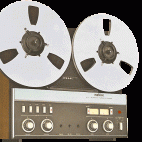
Deze opname had ik zojuist lekker als achtergrond op de PC.... Laser Hot Hits "576" met Brandy Lee, ze was een van mijn favorieten op Laser Hot Hits. De opname is van 20 April 1987, het is 2e paasdag en Brandy heeft het over een "commercial free weekend" en "the day after Bunny-day". Ook is ze helaas een beetje kort-af in dit uurtje, gewoon plaatje-op / plaatje-af, of moet ik zeggen cart-op / cart-af en "this was... and now comes...". Het zijn zo'n beetje de laatste dagen van het station want op 26 April 1987 was het gedaan met het station. Toch weer even lekker terug in de tijd op deze warme 1e Pinksterdag.

De digitale kopie komt van de "Buren" in 2005 en in mijn archief: CD-R "Jaren 80 - disc5 track-16".

Laser Hot Hits - 20 April 1987 - UK time 0900-1000 uur - NL time 1000-1100 uur - live - Brandy Lee

This is the hidden content, please

Fijne 1e Pinksterdag

Henk Kruize

Join the conversation

You can post now and register later. If you have an account, sign in now to post with your account.
Note: Your post will require moderator approval before it will be visible.

Guest
Reply to this topic...

Important Information

Door gebruik te maken van deze website ga je akkoord met Terms of Use, Privacy Policy en Guidelines.

Account

Navigation

Search

Search

Configure browser push notifications

Chrome (Android)
  1. Tap the lock icon next to the address bar.
  2. Tap Permissions → Notifications.
  3. Adjust your preference.
Chrome (Desktop)
  1. Click the padlock icon in the address bar.
  2. Select Site settings.
  3. Find Notifications and adjust your preference.
