




Skip to content
View in the app

A better way to browse. Learn more.

Radiotrefpunt

A full-screen app on your home screen with push notifications, badges and more.

To install this app on iOS and iPadOS
  1. Tap the Share icon in Safari
  2. Scroll the menu and tap Add to Home Screen.
  3. Tap Add in the top-right corner.
To install this app on Android
  1. Tap the 3-dot menu (⋮) in the top-right corner of the browser.
  2. Tap Add to Home screen or Install app.
  3. Confirm by tapping Install.

Radio 538 - Edith den Doosch 7-2-2003 0.00
Featured Replies

  • Popular Post

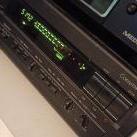
Deze kwam ik tegen bij het uitspitten van mijn cassettes:

Opname van Edith den Doosch, de korte tijd dat ze bij 538 programma maakte.


de opname begint 6-2-2003 om 23:55


This is the hidden content, please


Veel plezier ermee

Groet!

Dennis

Geweldig bedankt hiervoor! Ik probeer zo veel mogelijk van 538 te verzamelen van de 00's, aangezien ik toen begon te luisteren. Heb helaas zelf weinig opgenomen, maar dit is hartstikke top! Mocht je nog meer hebben, dan hou ik me zeker aanbevolen.

  • 4 years later...
  • Vincent locked this topic
Guest
This topic is now closed to further replies.

Account

Navigation

Search

Search

Configure browser push notifications

Chrome (Android)
  1. Tap the lock icon next to the address bar.
  2. Tap Permissions → Notifications.
  3. Adjust your preference.
Chrome (Desktop)
  1. Click the padlock icon in the address bar.
  2. Select Site settings.
  3. Find Notifications and adjust your preference.