Jump to content
View in the app

A better way to browse. Learn more.

Radiotrefpunt

A full-screen app on your home screen with push notifications, badges and more.

To install this app on iOS and iPadOS
  1. Tap the Share icon in Safari
  2. Scroll the menu and tap Add to Home Screen.
  3. Tap Add in the top-right corner.
To install this app on Android
  1. Tap the 3-dot menu (⋮) in the top-right corner of the browser.
  2. Tap Add to Home screen or Install app.
  3. Confirm by tapping Install.

Featured Replies

  • Popular Post

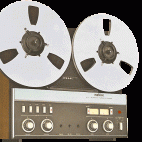
Van de week weer wat oude Caroline bandjes op de Revox gehad en eentje was van een testuitzending op 389 meter met Paul Alexander. Hij was nieuw aan boord en de reeds aanwezige DJ's stelden voor dat ie een leuke nieuwe DJ naam aan zou nemen, "Flikker" als zijn nieuwe DJ naam stelden ze voor, Paul Alexander, niet wetende dat het een Nederlands scheldwoord is, vond dat wel een leuke naam. Zijn allereerste aankondigingen deed ie dan ook onder die naam, kort erna, toen men hem alles had uitgelegd, was het weer gewoon Paul Alexander.

Ik heb die aankondiging uit een nonstop testprogramma geknipt.

Paul Alexander - Radio Caroline 389 - 1 Juni 1973

pixeldrain
No image preview

FR-NIEUW-025 Caroline389 1973 Paul Alexander-Flicker X.mp3

This file has been shared with you on pixeldrain

Groet

Henk Kruize

1973 sticker.jpg

Hi

Could you please post the full recording if you can.

Would be good to add to my archive

Thanks

Ian

Join the conversation

You can post now and register later. If you have an account, sign in now to post with your account.
Note: Your post will require moderator approval before it will be visible.

Guest
Reply to this topic...

Important Information

Door gebruik te maken van deze website ga je akkoord met Terms of Use, Privacy Policy en Guidelines.

Configure browser push notifications

Chrome (Android)
  1. Tap the lock icon next to the address bar.
  2. Tap Permissions → Notifications.
  3. Adjust your preference.
Chrome (Desktop)
  1. Click the padlock icon in the address bar.
  2. Select Site settings.
  3. Find Notifications and adjust your preference.