





Nieuws en muziek in één: Nieuwspaal Radio is vandaag begonnen
By de redactie in Nederland
· 566 views
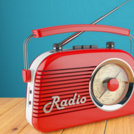
Nederland heeft er vanaf vandaag een radiostation bij. Nieuwspaal, bekend als nieuwswebsite, begint met een eigen zender onder de naam Nieuwspaal Radio, waarop een mix van nieuws en muziek te horen is die aansluit bij de actualiteit.
Volgens hoofdredacteur Hans Wolterdijk vormen actualiteiten de kern van de activiteiten van Nieuwspaal, en spelen de actualiteit en maatschappelijke gebeurtenissen ook in de muziek een belangrijke rol. Een eigen radiostation was daarom een voor de hand liggende uitbreiding voor de organisatie.
Op Nieuwspaal Radio is een keur aan bekende en minder bekende Nederlandse artiesten te horen. Met de zender breidt Nieuwspaal het aanbod voor de bestaande lezers uit, die de onderwerpen die hen bezighouden voortaan ook kunnen volgen tijdens het werk, het koken of andere dagelijkse bezigheden.
Nieuwspaal Radio is 24 uur per dag te beluisteren via nieuwspaal.nl/radio.
Afbeelding: Nieuwspaal
Recommended Comments
Join the conversation
You are posting as a guest. If you have an account, sign in now to post with your account.
Note: Your post will require moderator approval before it will be visible.