




192 Radio brengt historische Radio 227-hitlijst opnieuw onder de aandacht

Artikel geplaatst door de redactie in Nederland
· 396 weergaven
Luisteraars van 192 Radio kunnen op donderdag 4 juni tussen 20:00 en 22:00 uur in Offshore and More terug in de tijd met een bijzondere uitzending rond de eerste Top 50 van Radio 227. De hitlijst werd oorspronkelijk uitgezonden op 4 juni 1967 en krijgt nu opnieuw aandacht in een speciaal programma.
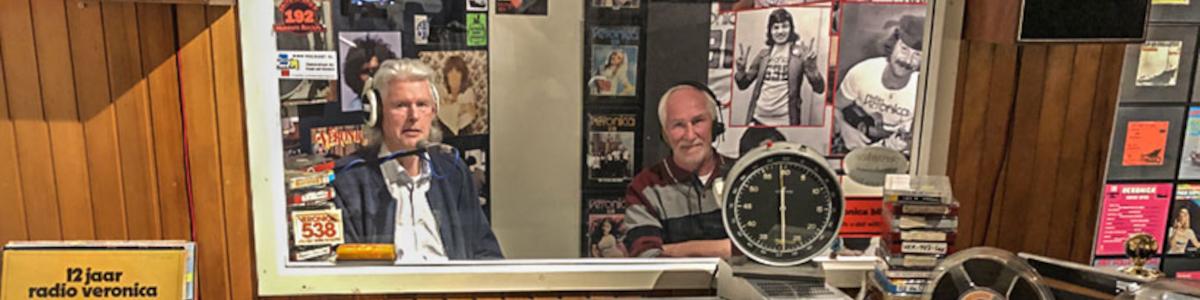
Presentator Kees Brinkerink neemt samen met voormalig Radio 227-dj Look Boden de complete Top 50 onder de loep. Naast de genoteerde hits komen ook enkele destijds aanbevolen platen aan bod, waardoor een breed beeld ontstaat van de muziek die bijna zes decennia geleden populair was.
De uitzending biedt niet alleen een overzicht van de hitlijst, maar brengt ook de sfeer van de muziekperiode van 1967 terug. De aanwezigheid van Look Boden, die destijds zelf betrokken was bij Radio 227, zorgt daarbij voor extra achtergrond en herinneringen aan die tijd.
De productie en presentatie zijn in handen van Kees Brinkerink. De gastpresentatie wordt verzorgd door Look Boden, terwijl Rob Schel verantwoordelijk is voor de techniek van het programma.
Afbeelding: Kees Brinkerink en Look Boden (foto 192 Radio)
Aanbevolen antwoorden
Doe mee aan het gesprek
Je plaatst een bericht als gast. Indien je al een account hebt, kun je je nu aanmelden om het bericht met je account te plaatsen.
Opmerking: Je bericht moet eerst worden goedgekeurd door een moderator voordat het zichtbaar is.