





Artikel geplaatst door de redactie in Nederland
· 962 weergaven
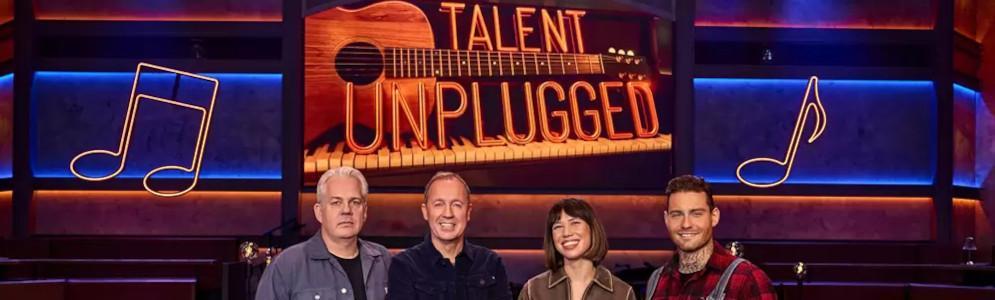
Vanaf zaterdag 15 maart brengt SBS6 een nieuw muzikaal programma: Talent Unplugged. In deze talentenjacht draait alles om pure zang en authentieke instrumentatie. De deelnemers begeleiden zichzelf op één of meerdere instrumenten en brengen bekende hits in een akoestische setting.
De talenten krijgen begeleiding van drie coaches: Meau, Thomas Acda en Douwe Bob. Zij helpen de deelnemers bij het arrangeren en perfectioneren van hun optredens. Er zijn geen audities; 27 vooraf geselecteerde talenten krijgen direct de kans om zich te bewijzen op het podium.
Een vakjury bestaande uit producer Gordon Groothedde, muziekmanager Wilbert Mutsaers, A&R-manager Erroll Antonie en zangeres Berget Lewis beoordeelt de optredens. Creativiteit, muzikaliteit en authenticiteit spelen een belangrijke rol in de beoordeling.
De competitie leidt uiteindelijk naar een finale waarin de vier overgebleven kandidaten een duet met hun coach zingen, gevolgd door een solo-optreden. De winnaar krijgt niet alleen erkenning, maar ook de kans om samen met de coaches op te treden in Koninklijk Theater Carré.
Talent Unplugged wordt gepresenteerd door Edwin Evers en is vanaf 15 maart elke zaterdag om 20:00 uur te zien op SBS6.
Afbeelding: Thomas Acda, Edwin Evers, Meau en Douwe Bob (foto Talpa)
Aanbevolen antwoorden
Doe mee aan het gesprek
Je plaatst een bericht als gast. Indien je al een account hebt, kun je je nu aanmelden om het bericht met je account te plaatsen.
Opmerking: Je bericht moet eerst worden goedgekeurd door een moderator voordat het zichtbaar is.