




Nieuwe BNNVARA-podcast brengt geschiedenis tot leven

Artikel geplaatst door de redactie in Podcast
· 494 weergaven
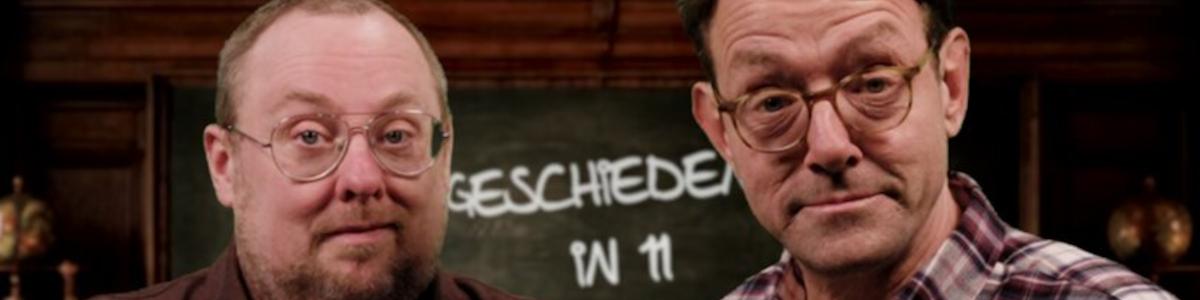
BNNVARA is gestart met de podcast ‘De Geschiedenis in 11 Fijne Feitjes’, waarin Roelof de Vries en Michiel Eijsbouts iedere week een historisch onderwerp op geheel eigen wijze behandelen. In een half uur tijd nemen zij de luisteraar mee langs elf opvallende weetjes, waarmee zelfs bekende onderwerpen een verrassende draai krijgen.
De onderwerpen variëren van Margaret Thatcher en Napoleon tot Cleopatra en de Olympische Winterspelen. De podcast onthult verrassende feiten, zoals dat Vikingen geen hoorns op hun helmen droegen, Napoleon altijd een kip aan het spit had draaien op het slagveld, en dat alle Olympische curlingstenen afkomstig zijn van een onbewoonde vulkaan voor de Schotse kust.
Door de combinatie van historische context en triviale feitjes biedt de podcast een luchtige en toegankelijke manier om geschiedenis te ontdekken.
Luisteraars kunnen vanaf nu wekelijks terecht bij BNNVARA op NPO Luister en hun kennis testen bij het koffiezetapparaat.
Afbeelding: Roelof de Vries en Michiel Eijsbouts (foto BNNVARA)


Aanbevolen antwoorden
Doe mee aan het gesprek
Je plaatst een bericht als gast. Indien je al een account hebt, kun je je nu aanmelden om het bericht met je account te plaatsen.
Opmerking: Je bericht moet eerst worden goedgekeurd door een moderator voordat het zichtbaar is.