




Klassement
-

martinja
Leden60Punten8.253Aantal bijdragen -

Vincent
Administratoren57Punten28.858Aantal bijdragen -
Hans Hendriks
Leden33Punten1.243Aantal bijdragen -
Omnivoor
Leden18Punten1.917Aantal bijdragen




Populaire bijdragen
Inhoud met de hoogste waardering op 08-01-21 in Berichten tonen
-
11 puntenMiAmigo-19771217-0900-1000-Michelle-KoffieMetOfZonder https://pixeldrain.com/u/HjjpYFSG MiAmigo-19771217-1000-1100-StanHaag-StanHaagVandaag https://pixeldrain.com/u/FbXfhCSj MiAmigo-19771217-1100-1200-HermanDeGraaf-Top50 https://pixeldrain.com/u/Eor82tab MiAmigo-19771217-1200-1300-HermanDeGraaf-Top50 https://pixeldrain.com/u/htCatq8z MiAmigo-19771217-1300-1400-HermanDeGraaf-Top50 https://pixeldrain.com/u/yRUy4t8d11 punten
-
8 puntenDrie op een rij: https://pixeldrain.com/u/RmbPNV93 675 R10Gold 1996-09-14 1502 -1558 (ingekort) Pieter Vorage Hitweek 37 1970 NL Top 40.mp3 https://pixeldrain.com/u/igpBaYTr 675 R10Gold 1996-09-14 1606 -1702 (ingekort) Pieter Vorage Hitweek 37 1976 NL Top 40.mp3 https://pixeldrain.com/u/PTFiCwWA 675 R10Gold 1996-09-14 1702 -1800 (ingekort) Pieter Vorage Hitweek 37 1973 NL Top 40.mp3 https://pixeldrain.com/l/FhPYVuNg All 3 files8 punten
-
5 puntenMiAmigo-19771217-0800-0900-FerryEden - OGM https://pixeldrain.com/u/bx2577J55 punten
-
4 puntenhttps://www.pixeldrain.com/u/5TCdWFgL 675 R10Gold 1996-10-12 1510 -1559 Pieter Vorage Hitweek 41 1977 NL Top 40.mp3 Dit is de laatste die ik heb van 1996. Volgende week begin ik met 1998, waarvan ik een paar uitzendingen in de Lente heb opgenomen, niet zoveel dus als 1996. Omni4 punten
-
WMR.01041983.AlszeezenderMarinaRadio-1aprilgrap.Ju-Box-HugoD https://pixeldrain.com/u/LJB5eMVM3 punten
-
Een programma mixen, muziek selecteren, plaatje draaien, babbeltje doen is echt iets anders dan techniek. Je hebt dus de dj's dat is categorie 1 en die horen we en draaien plaatjes. Dan heb je de studio technici. "De technicus" en die hoor je al veel minder en zijn meer bescheiden op de achtergrond. (Ad Bouman vind ik een goede uitzondering want die presenteert ook prima). Heb je als LPAM deze competenties? Dan komt er vast een leuk programma tot stand. Maar......... Dan de zendertechnici. Die hoor je nooit, je ziet ze niet. Stellen zich veelal zeer bescheiden op de achtergrond. En toch zijn dat de mannen die ervoor zorgen dat je het kan ontvangen/ beluisteren. Ik wil niet zeggen dat ze het belangrijkste zijn, maar hun inbreng is cruciaal. Voorbeelden van vroeger Peter Chicago, Jan van Bers, Ed Terpstra... En bij LPAM stations van nu is ook er vaak zo'n 'echte' techneut op de achtergrond, die er daadwerkelijk voor zorgt dat het signaal er is en ook goed is te ontvangen (met juiste modulatie etc.). Nu is het vaak een zendamateur (al heb je die ook in 2 smaken nl. de stekkeramateur, de alleen maar wil praten en de techneuten). Ontbreekt in 'het team' iemand met deze laatste competenties? Dan wordt het rommelen. Heb je alle drie de competenties ineen? Geweldig, dan kan je het helemaal alleen voor elkaar boksen. Heb je geen (of het is een stekkeramateur), dan blijft het bij dromen. De lol/ drive, als die centraal blijft staan lukt er veel. Blijft het bij woorden dan kunnen personen wel pochen, opscheppen, op de borst kloppen etc... de proof of de pudding is in the eating (zo simpel is al het als sinds mensenheugenis) Het waren zo maar wat overwegingen. Grts Eric3 punten
-
Prima omschrijving Eric, maar het is ook zo wat je zegt. En waar ik tegen aangelopen ben is het feit, dat er maar heel weinig mensen zijn de echt weten waar over ze praten. Veel kennis is niet zo maar voor het grijpen, en het vergt inspanning om het je eigen te maken. En dat is wat anders dan een stekker in het stopcontact te doen en of het vermogen knopje rechts om te draaien. Theo2 punten
-
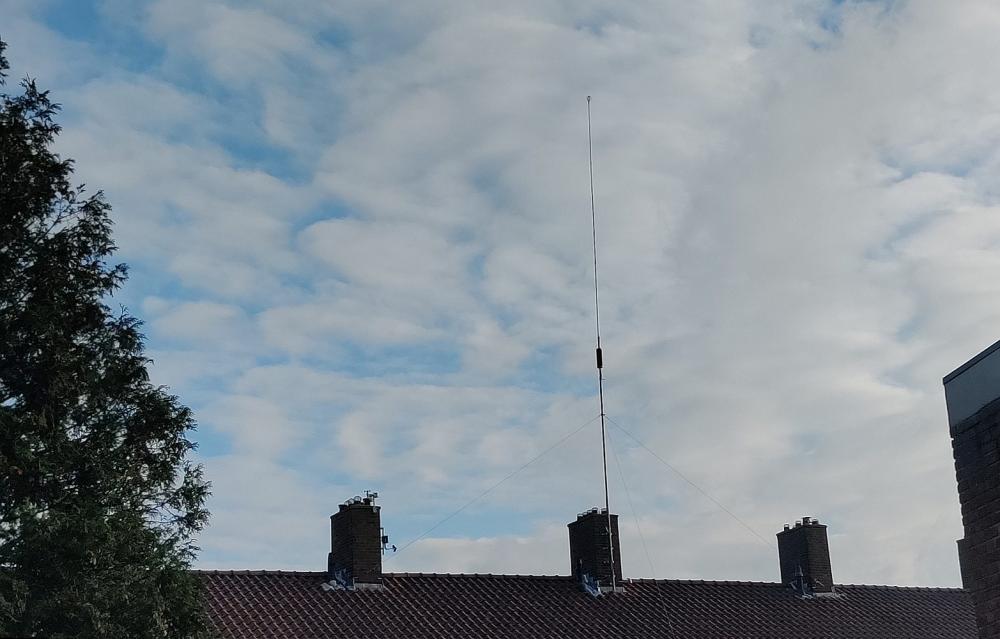
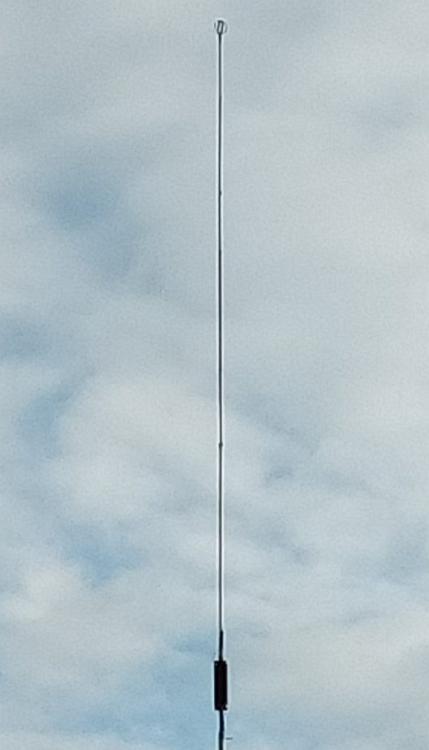
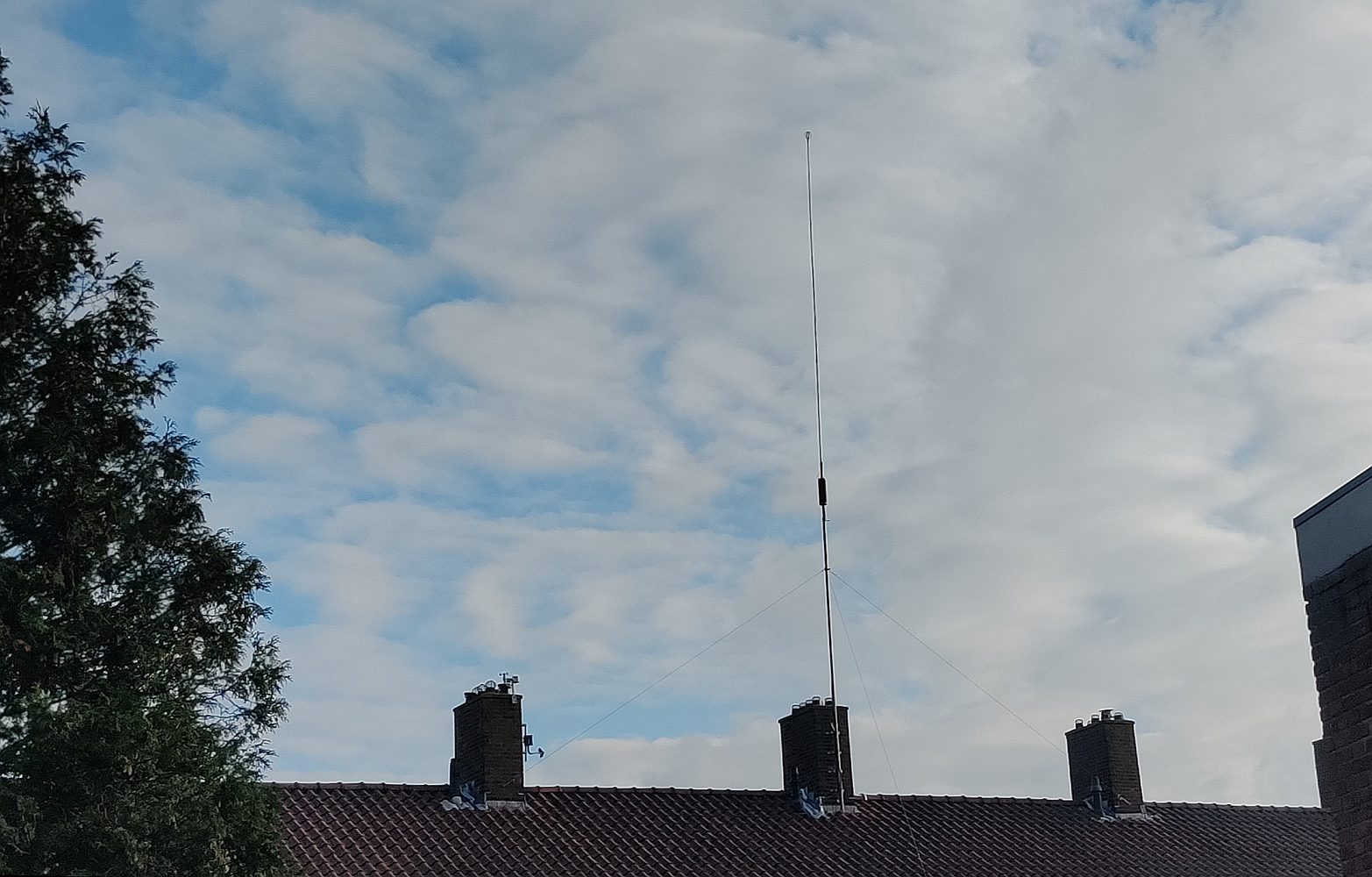
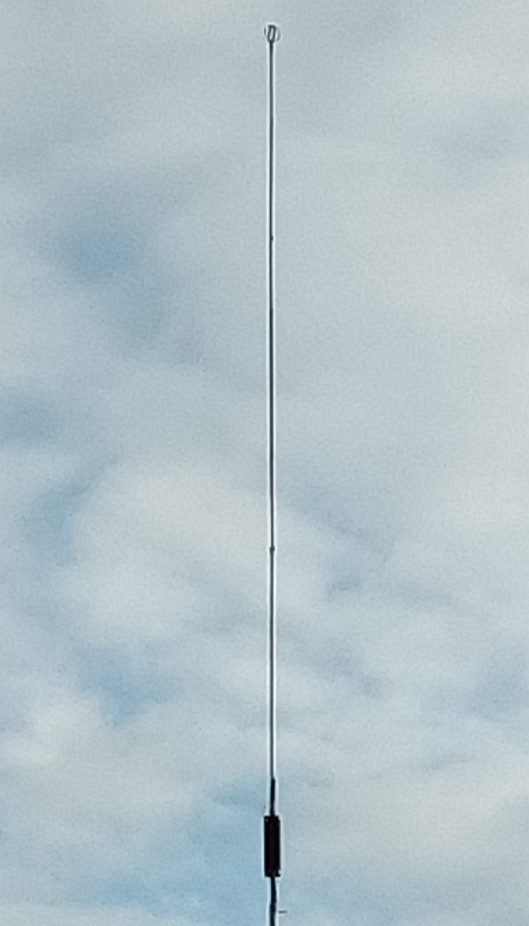
1 punt1 punt1 punt1 puntFoto's van de zendmast. Niet verwacht dat er zo'n signaal komt van dit sprietje, op die hoogte en die locatie.
 1 punt1 punt1 puntHet klopt inderdaad dat er zeker medio jaren 90 nog veel 60s uurtjes waren bij Hitweek. Hoewel ik die zelf ook slechts als peuter heb meegemaakt (geboren in '67) was ik al vanaf de jaren 70 erg 'into' de jaren zestig muziek. Via Hilv III (Steenen Tijdperk, Rock 'n' roll methode, Poster) toen veel jaren zestig leren kennen. Ik was blij dat 'Tien' dat weer oppikte.1 punt1 puntHier weer slechts 1 uurtje (namelijk het laatste uur tussen 1700 en 1800 uur op 24 augustus 1996) 1975 met op nummer 1 (en het spijt me dit te moeten zeggen/schrijven) de hondsirritante Elephant Song. Zelfs toen als beginnende tiener vond ik het zinnetje ''People kill without regret, although they fly by jumbo-jet'' echt helemaal nergens op slaan. 'Jumbo-jet' was volgens mij gekozen om de associatie van dit lied met 'olifant' aan te sterken. https://we.tl/t-laArqLJ64n 675 R10Gold 1996-08-24 1702 -1756 (ingekort) Mark de Brouwer Hitweek 34 1975 NL Top 401 punt1 puntCleaned by Oldies 45 MiAmigo22081974BertBennet1600-1700 https://pixeldrain.com/u/HerVPCD6 ------------------------------------- MiAmigo-19771216-1800-1900-StanHaag-Jukebox https://pixeldrain.com/u/sdfsuHLF MiAmigo-19771217-0600-0700-FerryEden-OGM https://pixeldrain.com/u/gkVHLRk8 MiAmigo-19771217-0700-0800-FerryEden-OGM https://pixeldrain.com/u/PPWK1qmK1 punt1 punthttps://pixeldrain.com/u/bzNDZ2YM 675 R10Gold 1996-08-17 1709 -1801 Mark de Brouwer Hitweek 33 1976 NL Top 40.mp3 Slechts 1 jaar (1976) van deze dag. De reden is mijn leeftijd en jeugdherinneringen. Daarom nam ik geen zestiger jaren op, omdat (alhoewel mijn geheugen wel nummers van 1965 en verder heeft destijds als kleuter zijnde ''opgeslagen'') deze weinig associaties bij me oproepen. Pas begin jaren 70 begint voor mij de teletijdmachine. Wellicht dat er veel Hitweek 60-er jaren waren die dag, of misschien was ik er gewoon te laat bij, dat kan natuurlijk ook .1 punt1 puntThank you John - I hope so. With kind regards, Martin MiAmigo-19771216-1400-1500-StanHaag-TussenWalEnSchip https://pixeldrain.com/u/J3J6CsXD MiAmigo-19771216-1500-1600-NonStop-20minUitDeLuchtAntenneRep https://pixeldrain.com/u/pzZ2Xm9o MiAmigo-19771216-1600-1700-HermanDeGraaf-Stuurboord-OpnieuwAntenneRep https://pixeldrain.com/u/N5i6h5Y4 MiAmigo-19771216-1700-1800-FerryEden-Stuurboord-AntenneRepStartMuziek1730 https://pixeldrain.com/u/rSzf6huz1 punt1 punt675 R10Gold 1996-08-10 1504-1556 (ingekort) Pieter Fourage Hitweek 32 1973 NL Top 40.mp3 https://pixeldrain.com/u/Ci486e6j Beetje ''hit and miss'' met deze uitzending want hij draait oa Abba met 'Waterloo' en Colin Blunstone met 'I want some more', een nummer dat er inmiddels uitlag (laatst in week 31) (extra feitje: niet eens in GB op single verschenen!). Ook de top 10 draait hij niet in zijn geheel. 675 R10Gold 1996-08-10 1702-1748 Pieter Fourage Hitweek 32 1977 NL Top 40.mp3 https://pixeldrain.com/u/1PH9we7P de nummers 14 t/m 3 van https://www.top40hitdossier.nl/top40/1977/week-32 ps Ik neem aan dat zijn achternaam ''Fourage'' is?? Moeilijk te horen. Ik kan helemaal niets van/over hem vinden. EDIT: het is Vorage, mijn excuses. Mag ik jullie ajb verzoeken na download de achternaam in de bestanden zelf te wijzigen?1 punt1 punt--------------------- MiAmigo-19760700-1600-1700-PeterVanDam-MetPeterGaatHetBeter-Studio-323 https://pixeldrain.com/u/F2mrkmhS MiAmigo-19771216-0900-1000-HaikeDubois-SchijvenVoorBedrijven https://pixeldrain.com/u/bwgVm4w5 MiAmigo-19771216-1000-1100-Michelle-KoffieMetOfZonder https://pixeldrain.com/u/guci4e2A MiAmigo-19771216-1100-1200-StanHaag-StanHaagVandaag https://pixeldrain.com/u/K8mY3frQ MiAmigo-19771216-1200-1300-StanHaag&HermanDeGraaf-Kassa&Baken16 https://pixeldrain.com/u/oxJpgHk5 MiAmigo-19771216-1300-1400-HermanDeGraaf-Baken16 https://pixeldrain.com/u/tbffzPbA1 punthttps://pixeldrain.com/u/3PTC4xda 30 dec 84 Wijkstoring 173 13-14u https://pixeldrain.com/u/4dU1ZQ7x 29 dec.84 Wijkstoring 172 13-14u deze opnames zijn allebei an 1983, sorry voor de verwarring.1 punt1 puntCleaned by Oldies 45 19771029 1100-1200 FrankVanDerMast Top50 https://pixeldrain.com/u/66qd4Bna 19771029 1200-1500 FrankVanDerMast Top50 https://pixeldrain.com/u/VKjVNpxi1 punt1 puntMiAmigo-19760414-1600-1800-PeterVanDam-SchoolsOut https://pixeldrain.com/u/ZpfWBZoq MiAmigo-19761201-1400-1500-JoopVerhoofFlachbackShow https://pixeldrain.com/u/2oP4iToQ MiAmigo-19761202-1400-1500-JoopVerhoofFlachbackShow https://pixeldrain.com/u/sCAhW1iT1 punt1 puntCleaned by Oldies 45 Radio Mi Amigo 19771029_1100-1200_FrankVanDerMast_Top50 https://pixeldrain.com/u/2rQuUNpe MiAmigo-19761016-1500-1600-PeterVanDam-Top50 https://pixeldrain.com/u/agUfPZWm MiAmigo-19761016-1600-1700-PeterVanDam-Top50 https://pixeldrain.com/u/PQNm19xN MiAmigo-19761016-1700-1800-PeterVanDam&BartVanLeeuwen-Top50&Jukebox https://pixeldrain.com/u/E1jQ6xtK MiAmigo-19771022-1400-1500-FrankVdMast-Top50 https://pixeldrain.com/u/WTiWVf6d1 punt1 puntMiAmigo-19761016-1300-1400-BartVanLeeuwen-FlashbackShow https://pixeldrain.com/u/VSxvqwa2 I hope this was the missing link and the last mistake I saw. Many thnx for it. With regards, Martin1 punt1 puntHi ! MiAmigo-19761016-1300-1400-BartVanLeeuwen-FlashbackShow (missing) https://pixeldrain.com/u/fkhKs4Fk = MiAmigo-19771022-1300-1400-FrankVdMast-Top50 MiAmigo-19761016-1400-1500-PeterVanDam-Top50 https://pixeldrain.com/u/KVeKn4fS MiAmigo-19771022-1100-1200-FrankVdMast-Top50 https://pixeldrain.com/u/AHC5v6mj MiAmigo-19771022-1200-1300-FrankVdMast-Top50 https://pixeldrain.com/u/LqBEDD8q MiAmigo-19771022-1300-1400-FrankVdMast-Top50 https://pixeldrain.com/u/LqBEDD8q = MiAmigo-19771022-1200-1300-FrankVdMast-Top50 With my regards, Rod1 puntBart heeft trouwens ook voor de zeezender Monique gewerkt...0 puntenDit klassement is ingesteld op Amsterdam/GMT+02:00








Belangrijke informatie
Door gebruik te maken van deze website ga je akkoord met Gebruiksvoorwaarden, Privacybeleid en Richtlijnen.