





Beeld en Geluid trekt nieuw recordaantal bezoekers met succesvol Top 2000 Café

Artikel geplaatst door de redactie in Nederland
· 1.503 weergaven
Afgelopen week kwamen er maar liefst 31.000 bezoekers naar Beeld en Geluid in Hilversum om de NPO Radio 2 Top 2000 live mee te maken. Het record van 28.962 bezoekers van het Top 2000 Café, dat vorig jaar behaald is, is hiermee verbroken.
In totaal trok Beeld en Geluid, het instituut voor mediacultuur, in 2017 zo'n 225.000 bezoekers. Dit aantal is onder meer gehaald dankzij twee succesvolle tentoonstellingen: Let’s YouTube en Nieuws of Nonsens: #demediamindfuck. De laatste tentoonstelling startte in november en belicht de rol van nieuwsmedia in verwarrende tijden van fake news en filterbubbels. Tot en met juni was de tentoonstelling Let’s YouTube te zien, waarin bezoekers de impact van YouTube konden ontdekken en zelf in de schoenen van succesvolle YouTubers konden stappen. Ook startte Beeld en Geluid in 2017 met een uitgebreidere culturele programmering met lezingen, colleges, viewings en talkshows die de mediacultuur van allerlei verschillende kanten belichtten. In 2018 gaat Beeld en Geluid hiermee door, zo komt op zondag 21 januari De Speld langs voor een lezing.
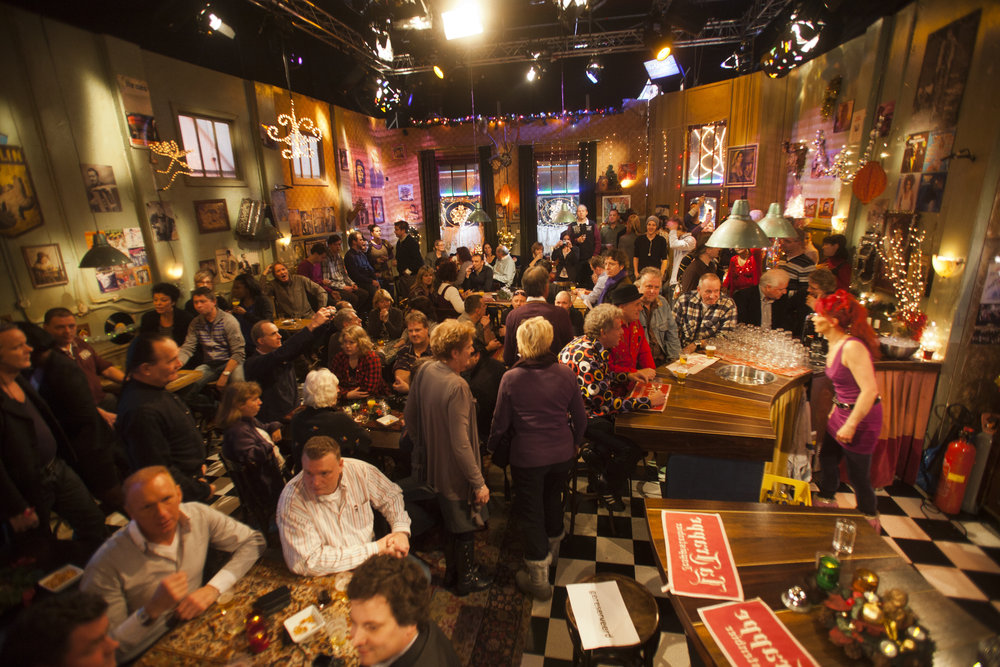
Foto Beeld en Geluid

Aanbevolen antwoorden
Doe mee aan het gesprek
Je plaatst een bericht als gast. Indien je al een account hebt, kun je je nu aanmelden om het bericht met je account te plaatsen.
Opmerking: Je bericht moet eerst worden goedgekeurd door een moderator voordat het zichtbaar is.