




SLAM! lanceert eigen kledinglijn

Artikel geplaatst door de redactie in Nederland
· 1.813 weergaven
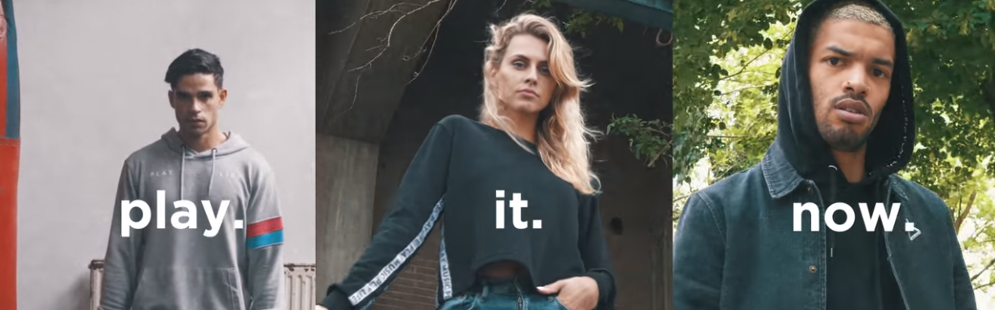
Zojuist is op radiozender SLAM! bekend gemaakt dat het merk een eigen kledinglijn start, genaamd SLAM! Streetwear. De eerste collectie is direct gelanceerd en te zien op slam.nl/shop.
Het radiostation zocht eerder al succesvol de verbreding met een eigen tv-zender, grote dance events en populaire YouTube formats. Met deze kledinglijn profileert SLAM! zich wederom als lifestylemerk dat overal aanwezig is in het leven van de doelgroep. SLAM! Streetwear is ontworpen en geproduceerd in samenwerking met O&R Streetwear.
Rens Goseling, Creative SLAM! Streetwear: “We zijn super trots op deze eerste collectie. SLAM! Streetwear is niet bedoeld als merchandise met grote logo’s. We hebben samen met de beste ontwerpers deze eerste collectie ontworpen, waarbij de playbutton van SLAM! centraal staat.”
Sanne van der Meijden, Creative SLAM! Streetwear: “Het afgelopen jaar hebben we achter de schermen met een klein team in het geheim hard aan deze kledinglijn gewerkt. Bij SLAM! houden we van experimenteren en buiten hokjes denken. Deze toffe collectie is daar wederom het bewijs van!”
De eerste collectie - met de titel #ONE – is breed neergezet met hoodies, t-shirts, sweaters, jackets, een jurk, caps en skateboards.

Aanbevolen antwoorden
Doe mee aan het gesprek
Je plaatst een bericht als gast. Indien je al een account hebt, kun je je nu aanmelden om het bericht met je account te plaatsen.
Opmerking: Je bericht moet eerst worden goedgekeurd door een moderator voordat het zichtbaar is.