




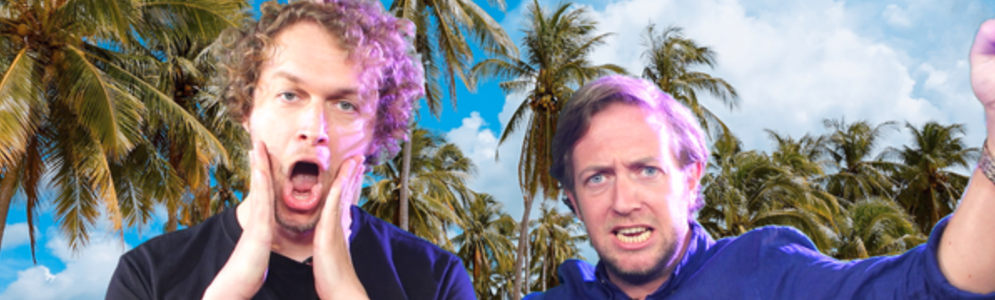
NPO 3FM-dj's Mark en Rámon geven Instagramvakanie weg

Artikel geplaatst door de redactie in Nederland
· 1.339 weergaven
Instagram staat er vol mee: hagelwitte stranden, azuurblauwe zeeën en dames in vreemde yogaposities. Maar niet iedereen kan zulke vakantiefoto’s delen, want niet iedereen kan met vakantie. Dat blijkt uit vandaag verschenen cijfers van het NIBUD. Het is voor deze groep mensen dus onmogelijk zich in de zomermaanden goed te prolfileren op hun socials. Speciaal voor de thuisblijvers geven 3FM-dj’s Mark van der Molen en Rámon Verkoeijen een Instagramvakantie weg. De winnaar heeft wel de lusten, maar niet de lasten: prachtige vakantiefoto’s zonder dat je de deur uit hoeft. De foto’s worden gemaakt door Nederlands topfotograaf William Rutten. De vakantie shoppen Mark en Rámon er wel bij.
Mark: “Op vakantie gaan doe je natuurlijk niet voor je lol. Je wilt gewoon indruk maken op je vrienden en veel likes scoren op Instagram. Een goed verhaal waarmee je kan opscheppen op familieverjaardagen.” Rámon: “Wij stemmen de vakantie helemaal af naar de wensen van de winnaar. We kunnen je naar Times Square in New York, Dubai, het Rode Plein in Moskou en vakantiepark de Lommerbergen in Limburg sturen. Op je socials ben je er dit jaar echt even lekker tussenuit!”
Wil jij duizenden likes binnenhalen met de allermooiste vakantiefoto’s op Instagram? Luister dan naar Mark+Rámon op NPO 3FM en check hun Facebookpagina om te zien hoe je deze prijs binnen kunt slepen!

Aanbevolen antwoorden
Doe mee aan het gesprek
Je plaatst een bericht als gast. Indien je al een account hebt, kun je je nu aanmelden om het bericht met je account te plaatsen.
Opmerking: Je bericht moet eerst worden goedgekeurd door een moderator voordat het zichtbaar is.