




Nieuwe Mixshow op SLAM!: Housuh in de Pauzuh

Artikel geplaatst door de redactie in Nederland
· 1.968 weergaven
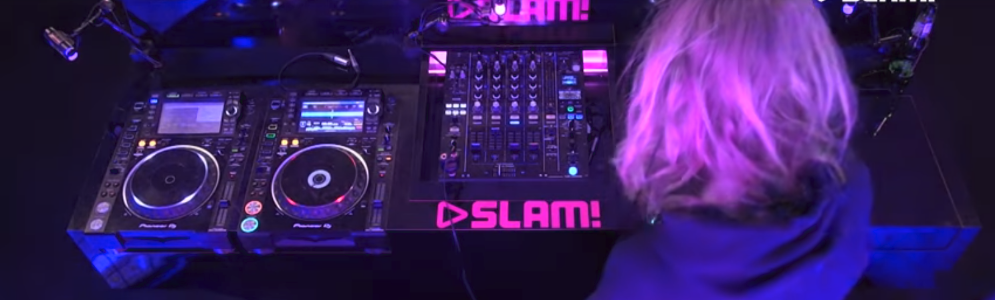
Vanaf vandaag komt radiozender SLAM! met een nieuw programma. Van maandag tot en met donderdag brengt SLAM! tussen 12:00 en 13:00 uur de nieuwe mixshow ‘Housuh in de Pauzuh’.
Het is 12:00 uur. Even geen mail op kantoor of les op school. Gewoon even geen gedoe. Get ready for the lunch en wees voorbereid op een trip down memory lane, want de playlist gaat alle kanten op. Van clubknallers uit de 00s, naar hiphopbangers uit de 90s, dikke hits van nu, maar ook typische guilty pleasures.
Anton van Lieshout, Station Director SLAM!: “Je pauze is een super belangrijk moment. Je bent halverwege de werkdag en je hebt nét even die energieboost nodig om de rest van de dag door te komen. Laat alles uit je handen vallen, schuif je lunch naar binnen, ga lol trappen samen met je collega’s en zet de radio op SLAM!. Onze luisteraars zijn gek op mixshows en dus komen wij nu dagelijks met Housuh in de Pauzuh. Als je SLAM! in de ochtend nog niet aan had staan op je werk, dan gaat-ie voortaan om 12:00 uur wél aan”.

Aanbevolen antwoorden
Doe mee aan het gesprek
Je plaatst een bericht als gast. Indien je al een account hebt, kun je je nu aanmelden om het bericht met je account te plaatsen.
Opmerking: Je bericht moet eerst worden goedgekeurd door een moderator voordat het zichtbaar is.