




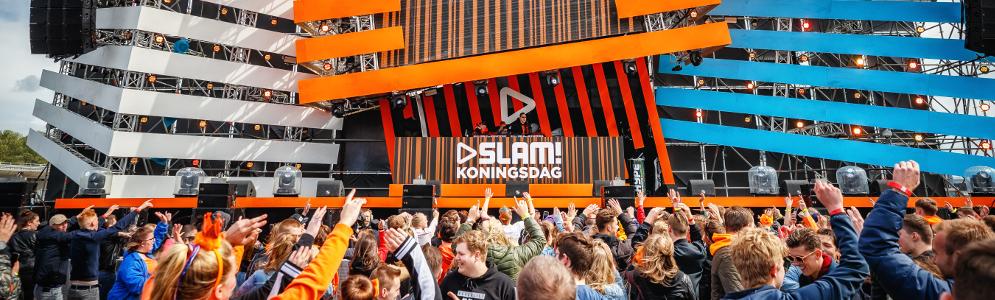
Tienduizenden uitzinnige bezoekers op SLAM! Koningsdag 2019

Artikel geplaatst door de redactie in Nederland
· 1.180 weergaven
Tienduizenden bezoekers, 31 acts, 2 podia, 1 festival. SLAM! Koningsdag 2019 was aan. Vanaf de eerste acts op de twee podia ging het uitzinnige publiek los op de beats van ruim 30 acts en dj’s. Zowel bij de Mainstage als het Extra Stage van Vunzige Deuntjes hing er de hele dag een topsfeer. De eerste tickets voor SLAM! Koningsdag 2020 zijn meteen na afloop van het festival voor 20 euro in de verkoop gegaan.
Al 15 jaar is SLAM! Koningsdag een begrip in Nederland. Na zes uitverkochte edities kan er na gisterenavond een zevende editie worden bijgeschreven. De zon liet zich zelfs af en toe even zien, ondanks de voorspellingen voor regen. Met grote namen op de Mainstage, waaronder de jongens van STUK!, Nicky Romero en Kriss Kross Amsterdam en grote publieksfavorieten op het extra stage van Vunzige Deuntjes hing er de hele dag een topsfeer op het festivalterrein. Meerdere keren ging het uitzinnige publiek los bij de sets van o.a. Yung Felix, Club Ondersteboven en Famke Louise.
Zo viel het programma van SLAM! Koningsdag 2019 met ruim 30 acts goed in de smaak bij het jonge publiek. Bezoekers voor de achtste editie kunnen zich nu al verzekeren van hun ticket voor SLAM! Koningsdag 2020. Deze eerste 2020 Ultra Early Bird Tickets zijn nu voor 20 euro te koop via www.slam.nl/koningsdag.

Aanbevolen antwoorden
Doe mee aan het gesprek
Je plaatst een bericht als gast. Indien je al een account hebt, kun je je nu aanmelden om het bericht met je account te plaatsen.
Opmerking: Je bericht moet eerst worden goedgekeurd door een moderator voordat het zichtbaar is.