




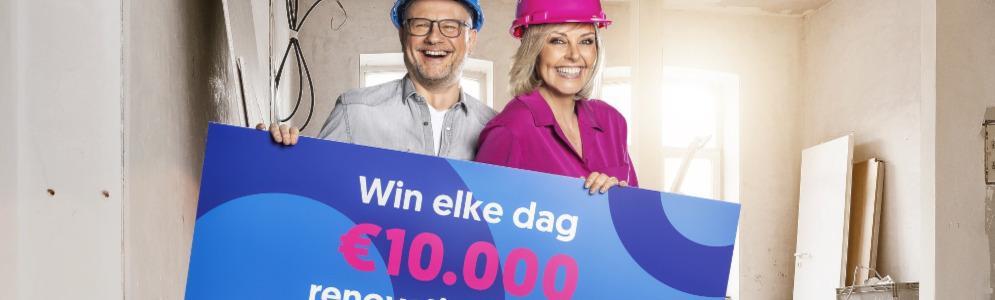
Win dagelijks €10.000 renovatiebudget bij Raf en Rani

Artikel geplaatst door de redactie in België
· 1.295 weergaven
Renoveren kan van je huis echt een thuis maken, en Raf en Rani willen je daarbij helpen. Van maandag 19 tot en met vrijdag 23 februari maak je elke dag kans op €10.000 renovatiebudget. Het Raf & Rani Renovatie-evenement start met een live-uitzending vanaf Batibouw op maandag 19 februari.
Wat kun je precies winnen?
Elke dag maak je kans op €10.000 renovatiebudget, maar we spelen voor een andere ruimte in en rond het huis.
- Maandag: keukenverbouwing
- Dinsdag: nieuwe vloer
- Woensdag: badkamerrenovatie
- Donderdag: sponsoring van een nieuwe hybride warmtepomp
- Vrijdag: vooruitkijken naar de lente en spelen voor een outdoor renovatie.
Hoe kun je kans maken op het renovatiebudget?
Sven & Anke, Bart-jan & Heidi en Carl Schmitz geven telkens een nummer dat gelinkt is aan de ruimte van de dag. Onthoud de titel en uitvoerder goed. Wanneer Raf & Rani het startsein geven, stuur je de namen van deze 3 nummers zo snel mogelijk door in de JOE-app. De computer kiest 2 gelukkige winnaars uit, die het tegen elkaar opnemen in een themaquiz. Als je alle vragen juist beantwoordt, win je €10.000 renovatiebudget.
Afbeelding: Raf en Rani (foto Joe)
Aanbevolen antwoorden
Doe mee aan het gesprek
Je plaatst een bericht als gast. Indien je al een account hebt, kun je je nu aanmelden om het bericht met je account te plaatsen.
Opmerking: Je bericht moet eerst worden goedgekeurd door een moderator voordat het zichtbaar is.