





Ross Revenge opnieuw middelpunt van Radio Caroline North-uitzending

Artikel geplaatst door de redactie in Verenigd Koninkrijk
· 944 weergaven
Radio Caroline North is op 13 en 14 september opnieuw te beluisteren vanaf het radioschip Ross Revenge. Tijdens het weekend wordt rechtstreeks uitgezonden vanaf de Ross Revenge met muziek uit de 60s tot 90s.
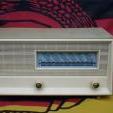
Luisteraars kunnen ditmaal ook deelnemen aan een prijsvraag waarbij een draagbare Panasonic-radio te winnen valt. De prijs wordt beschikbaar gesteld door een Britse leverancier van bevestigingsmaterialen en verbruiksartikelen.
De uitzending is beschikbaar via 648 AM in Engeland, Nederland, België en verder. In het noorden en noordwesten is de programmering ook te volgen via 1368 AM dankzij Manx Radio. Daarnaast kan wereldwijd worden geluisterd via de Caroline North Player, de Radio Caroline-app en via smart speakers.
Uitzendschema Radio Caroline North
Zaterdag 13 september
00:00 Nick Carter
03:00 John Ellery
06:00 Rosko
08:00 Chris Williams – Carnaby Street (Manx Radio)
10:00 Kevin Turner
13:00 Paul McKenna
16:00 Dave Sherwood
18:00 Johnny Lewis
21:00 Nick Carter
Zondag 14 september
00:00 Kevin Peters
03:00 Ellie Boyce
06:00 John Ellery
09:00 Kevin Turner
12:00 Keith Rogers
15:00 Nick Carter
17:00 Ray Clark
19:00 Johnny Lewis
21:00 Close
De programmering kan nog worden aangepast.

Aanbevolen antwoorden
Doe mee aan het gesprek
Je plaatst een bericht als gast. Indien je al een account hebt, kun je je nu aanmelden om het bericht met je account te plaatsen.
Opmerking: Je bericht moet eerst worden goedgekeurd door een moderator voordat het zichtbaar is.