





Live muziek van de 60s tot 90s op Radio Caroline North in november

Artikel geplaatst door de redactie in Verenigd Koninkrijk
· 627 weergaven
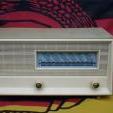
Radio Caroline North zendt dit weekend weer uit vanaf het radioschip Ross Revenge. De uitzending vindt plaats van zaterdag 8 november tot zondag 9 november en biedt luisteraars een selectie van muziek uit de jaren 60 tot 90. Tijdens deze uitzending maakt het station het mogelijk om deel te nemen aan een competitie waarbij drie luisteraars kans maken op een retro draagbare platenspeler, beschikbaar gesteld door UK Fasteners, leverancier van hoogwaardige raamsluitingen en accessoires.
De uitzending is te beluisteren op 648 AM voor luisteraars in Engeland, Nederland, België en verder, op 1368 AM in het noorden en noordwesten van Engeland via Manx Radio, wereldwijd via de Caroline North Player, smart speakers en de Radio Caroline-app.
Programmering Radio Caroline North – 8 en 9 november
Zaterdag 8 november
00:00 – Continuous Caroline Music
06:00 – Rosko
08:00 – Chris Williams – Carnaby Street (Manx Radio)
10:00 – Alex Dyke
12:00 – Kevin Turner
15:00 – Ron Brown
18:00 – Peter Philips
21:00 – Johnny Lewis
Zondag 9 november
00:00 – Kevin Peters
03:00 – Ellie Boyce
06:00 – John Ellery
09:00 – Kevin Turner
12:00 – Peter Philips
15:00 – Ron Brown
17:00 – Ray Clark
19:00 – Johnny Lewis
21:00 – Close


Aanbevolen antwoorden
Doe mee aan het gesprek
Je plaatst een bericht als gast. Indien je al een account hebt, kun je je nu aanmelden om het bericht met je account te plaatsen.
Opmerking: Je bericht moet eerst worden goedgekeurd door een moderator voordat het zichtbaar is.