





Live vanaf de Ross Revenge: Radio Caroline North op 7 en 8 maart

Artikel geplaatst door de redactie in Verenigd Koninkrijk
· 511 weergaven
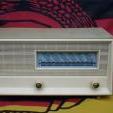
Radio Caroline North is op 7 en 8 maart opnieuw te horen met een speciale tweedaagse uitzending vanaf het radioschip Ross Revenge. Tijdens deze editie staat muziek uit de 60s tot en met de 90s centraal, aangevuld met een maandelijkse prijsvraag waarbij luisteraars kans maken op een KLIM retro boombox.
De uitzending begint op zaterdag 7 maart na middernacht en loopt door tot zondag 8 maart 22:00 uur.
Radio Caroline North is in Engeland, Nederland en België te ontvangen via 648 AM. In het noorden en noordwesten van Engeland wordt daarnaast uitgezonden op 1368 AM via Manx Radio. Wereldwijd luisteren kan online via de Caroline North Player, smart speakers en de Radio Caroline-app.
De programmering voor het weekend ziet er als volgt uit:
Zaterdag 7 maart
01:00 – Continuous Caroline Music
07:00 – Rosko
09:00 – Chris Williams – Carnaby Street (Manx Radio)
11:00 – Kevin Turner
13:00 – Ray Clark
16:00 – Johnny Lewis
19:00 – Peter Philips
22:00 – Nick Carter
Zondag 8 maart
01:00 – Kevin Peters
04:00 – Ellie Boyce
07:00 – John Ellery
10:00 – Kevin Turner
13:00 – Peter Philips
16:00 – Nick Carter
18:00 – Ray Clark
20:00 – Johnny Lewis
22:00 – Einde
De programmering is onder voorbehoud en kan wijzigen.


Aanbevolen antwoorden
Doe mee aan het gesprek
Je plaatst een bericht als gast. Indien je al een account hebt, kun je je nu aanmelden om het bericht met je account te plaatsen.
Opmerking: Je bericht moet eerst worden goedgekeurd door een moderator voordat het zichtbaar is.