




RTV Drenthe trekt deze zomer met Trekkertocht door de provincie

Artikel geplaatst door de redactie in Nederland
· 368 weergaven
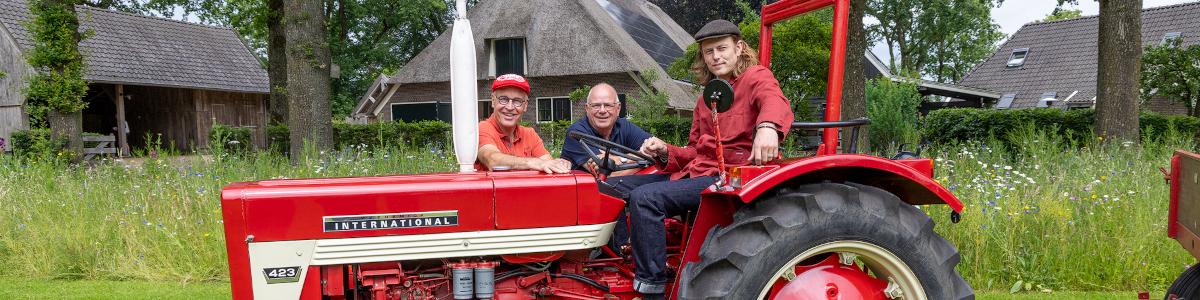
RTV Drenthe gaat van 6 tot en met 24 juli de provincie in met de Trekkertocht. Tijdens deze zomerserie rijden verslaggevers Harm Dijkstra, Aaldert Oosterhuis en Robbert Oosting iedere werkdag met een trekker langs dorpen, buurtschappen en andere bijzondere locaties om het Drentse zomergevoel vast te leggen.
Onderweg gaan de verslaggevers op zoek naar verhalen van inwoners, onverwachte ontmoetingen en evenementen die kenmerkend zijn voor de zomer in Drenthe. Elke werkdag staat een andere route op het programma, waardoor gedurende de drie weken een groot deel van de provincie wordt bezocht.
De route van iedere dag is te volgen via de website en de app van RTV Drenthe. De omroep roept inwoners op om tips door te geven over bijzondere plekken, activiteiten, mooie uitzichten of verhalen die niet mogen ontbreken. Op basis van deze suggesties kan de Trekkertocht onderweg een extra tussenstop maken.
De Trekkertocht is van 6 tot en met 24 juli iedere werkdag tussen 10:00 en 15:00 uur live te volgen via Radio Drenthe en TV Drenthe.
Afbeelding: Van links naar rechts: Harm Dijkstra, Aaldert Oosterhuis en Robbert Oosting (foto RTV Drenthe / Rego Meijer)
Aanbevolen antwoorden
Doe mee aan het gesprek
Je plaatst een bericht als gast. Indien je al een account hebt, kun je je nu aanmelden om het bericht met je account te plaatsen.
Opmerking: Je bericht moet eerst worden goedgekeurd door een moderator voordat het zichtbaar is.