




Astrid Holleeder deelt levensadvies in ochtendshow Mattie en Marieke

Artikel geplaatst door de redactie in Nederland
· 854 weergaven
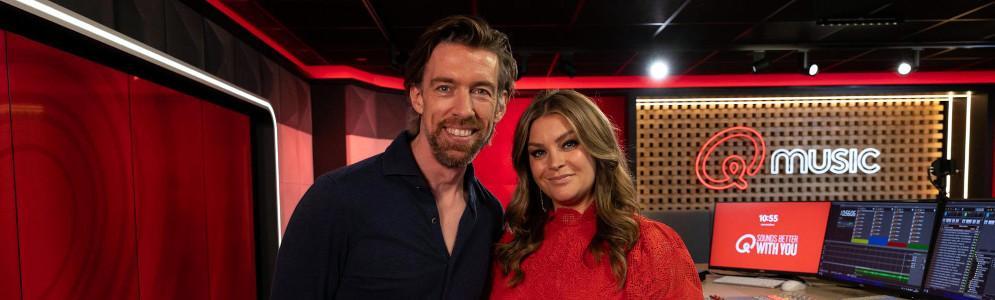
Vanaf vandaag krijgen luisteraars van de Qmusic-ochtendshow Mattie en Marieke een nieuw vast onderdeel: ‘Aan Astrid’. In dit onderdeel zal Astrid Holleeder, de moeder van presentatrice Miljuschka Witzenhausen, luisteraars voorzien van levensadvies. Dit werd vanochtend aangekondigd tijdens de show.
Astrid Holleeder, bekend als advocaat en schrijver, zal regelmatig haar inzichten en advies delen met luisteraars die vragen of problemen insturen. Haar toevoeging aan het programma biedt een nieuwe, persoonlijke invalshoek, waarbij zij met haar levenservaring en wijsheid de luisteraars bijstaat.
Astrid is vooral bekend geworden door haar getuigenissen tegen haar broer Willem Holleeder en leeft sinds 2015 ondergedoken. Ondanks de afstand tussen haar en Miljuschka, onderhouden moeder en dochter een sterke band. Deze radiorubriek geeft Astrid de mogelijkheid om haar advies te delen met een breder publiek, terwijl ze op de achtergrond blijft.
Luisteraars kunnen hun vragen sturen naar het e-mailadres astrid@qmusic.nl. Het eerste advies van Astrid zal morgen, donderdag 10 oktober, te horen zijn in de uitzending van Mattie en Marieke.
Afbeelding: Mattie Valk en Miljuschka Witzenhausen (foto Qmusic)





Aanbevolen antwoorden
Doe mee aan het gesprek
Je plaatst een bericht als gast. Indien je al een account hebt, kun je je nu aanmelden om het bericht met je account te plaatsen.
Opmerking: Je bericht moet eerst worden goedgekeurd door een moderator voordat het zichtbaar is.