




Centrale Bibliotheek Rotterdam gastlocatie voor live-uitzending Het Groot Dictee der Nederlandse Taal op 9 november

Artikel geplaatst door de redactie in Nederland
· 820 weergaven
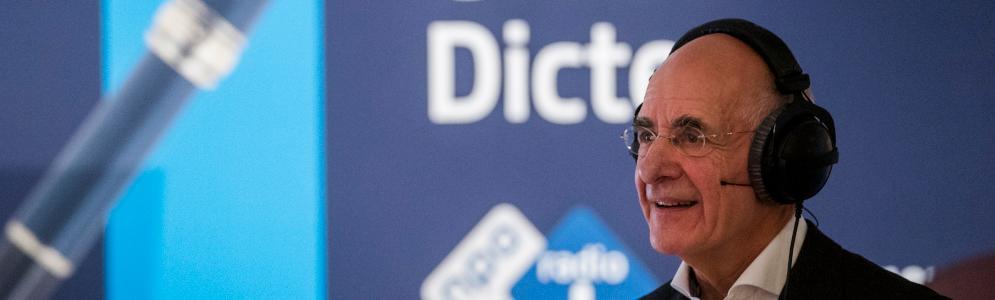
Op zaterdag 9 november wordt de Centrale Bibliotheek Rotterdam het decor voor de live-uitzending van Het Groot Dictee der Nederlandse Taal, georganiseerd door NPO Radio 1 en KRO-NCRV’s De Taalstaat. De uitzending wordt gepresenteerd door Frits Spits, terwijl oud-Kamerlid Gerdi Verbeet het dictee voorleest, dat dit jaar opnieuw is geschreven door auteur Wim Daniëls.
Het dictee, inmiddels een traditie, biedt zowel prominenten als taalliefhebbers de kans om hun kennis van de Nederlandse taal te testen. Bekende deelnemers dit jaar zijn onder anderen cabaretier Erik van Muiswinkel, paralympisch kampioen Marlou van Rhijn en presentator Roos Abelman. Naast de live-uitzending vanuit Rotterdam zullen taalliefhebbers in 24 bibliotheken door het hele land ook meeschrijven.
De jury van Het Groot Dictee bestaat uit Vibeke Roeper, directeur van het Genootschap Onze Taal, en Ton den Boon, hoofdredacteur van de Dikke Van Dale. In 2023 werd het dictee gewonnen door Walter Oussoren en Emiel Heuff, die beiden slechts acht fouten maakten. Onder de prominenten was auteur Lydia Rood de beste.
Het Groot Dictee der Nederlandse Taal is live te volgen via NPO Radio 1 tijdens de uitzending van De Taalstaat op 9 november 2024 om 11:00 uur.
Afbeelding: Frits Spits (foto KRO-NCRV)


Aanbevolen antwoorden
Doe mee aan het gesprek
Je plaatst een bericht als gast. Indien je al een account hebt, kun je je nu aanmelden om het bericht met je account te plaatsen.
Opmerking: Je bericht moet eerst worden goedgekeurd door een moderator voordat het zichtbaar is.