




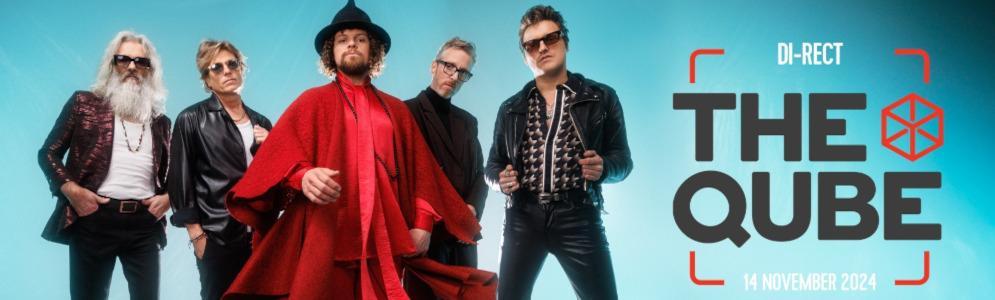
Exclusieve kans voor fans: DI-RECT in the Qube bij Qmusic

Artikel geplaatst door de redactie in Nederland
· 993 weergaven
Op donderdag 14 november 2024 speelt DI-RECT een intiem concert voor een klein publiek in de Qube, de exclusieve concertlocatie van Qmusic. Deze unieke show biedt een van de laatste mogelijkheden om de band dit jaar live te zien, nu hun SPHINX clubtour volledig is uitverkocht. Voor de resterende shows in De Kuip zijn nog enkele tickets beschikbaar, maar voor the Qube is toegang enkel te winnen via Qmusic.
Over the Qube
De Qube heeft in het verleden grote artiesten verwelkomd, waaronder Dua Lipa, Ed Sheeran en Robbie Williams, en biedt een unieke ervaring door de beperkte capaciteit en het intieme karakter. Fans staan hierdoor dichter bij hun favoriete artiest dan in de meeste andere concertzalen.
Hoe maak je kans?
Qmusic-luisteraars kunnen van maandag 4 november tot en met vrijdag 8 november 2024 kans maken op toegang. Als tussen 06:00 uur en 03:00 uur een nummer van DI-RECT op de radio klinkt, kunnen luisteraars “DI-RECT” sturen via de Q-app. Krijg je daarna een uitnodiging in de uitzending, dan win je twee tickets voor het exclusieve optreden.
Afbeelding: DI-RECT in the Qube (foto Qmusic)





Aanbevolen antwoorden
Doe mee aan het gesprek
Je plaatst een bericht als gast. Indien je al een account hebt, kun je je nu aanmelden om het bericht met je account te plaatsen.
Opmerking: Je bericht moet eerst worden goedgekeurd door een moderator voordat het zichtbaar is.