




Radio 10-dj Lex Gaarthuis brengt zomerhit uit

Artikel geplaatst door de redactie in Nederland
· 1.042 weergaven
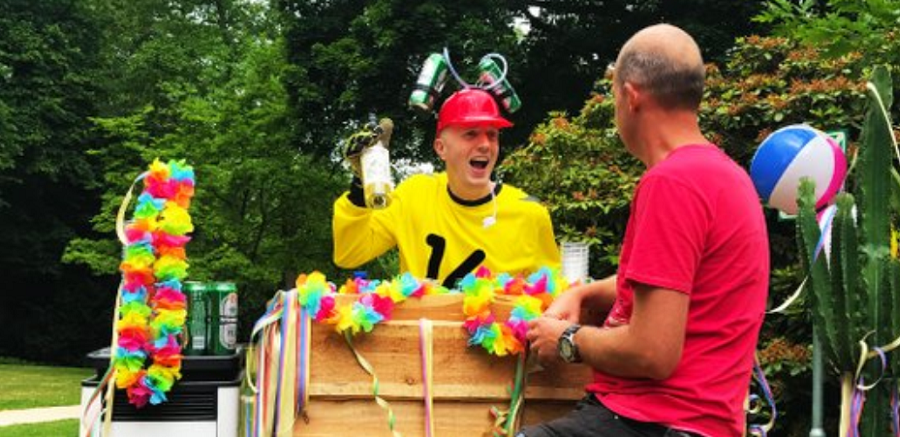
 Lex Gaarthuis viert vandaag de officiële start van de zomer met de release van ‘Biertje BBQ’. De zomerhit, die hij uitbrengt onder de artiestennaam ‘De Barkeeper’, is speciaal geschreven voor iedereen die geniet van een ijskoud biertje en een stuk vlees op de barbecue. Op de track is een speciaal gastoptreden te horen van DJ Sven, die wereldberoemd werd door zijn nummer 1-hit ‘Holiday Rap’ uit 1986. Onder anderen BN’ers Julius Jaspers, Irene Moors, Thomas Berge, Emile Ratelband en Sensi Lowe figureren in de videoclip waarin ‘De Barkeeper’ een uitgebreide barbecue organiseert voor zijn vrienden.
Radio 10-dj Lex Gaarthuis: “Op tropische zomerdagen haalt heel Nederland massaal de barbecue uit de schuur. Ik heb op deze hete dagen geen zin in superfoods of ingewikkelde sapkuurtjes en dat bracht me op het idee om een zomerhit uit te brengen over hetgeen waar iedereen gelukkig van wordt. Geef mij maar gewoon een gezellige barbecue en een heerlijk pilsje.”
'Biertje BBQ' is vanaf vandaag beschikbaar op Spotify, iTunes en YouTube.



Aanbevolen antwoorden
Doe mee aan het gesprek
Je plaatst een bericht als gast. Indien je al een account hebt, kun je je nu aanmelden om het bericht met je account te plaatsen.
Opmerking: Je bericht moet eerst worden goedgekeurd door een moderator voordat het zichtbaar is.