




Avicii nieuwste en hoogste binnenkomer in ‘Stars in Heaven Top 110’

Artikel geplaatst door de redactie in Nederland
· 1.994 weergaven
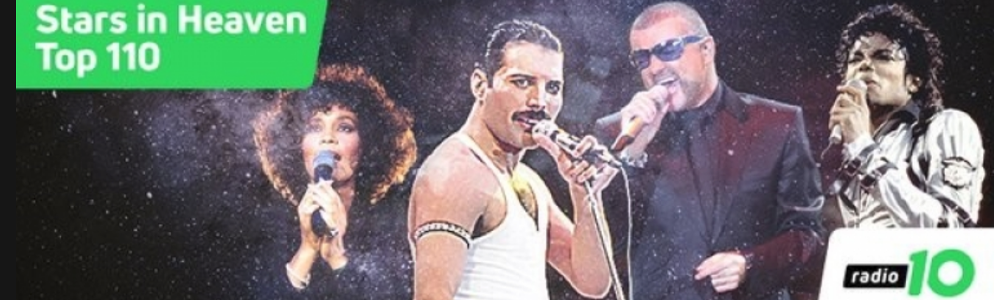
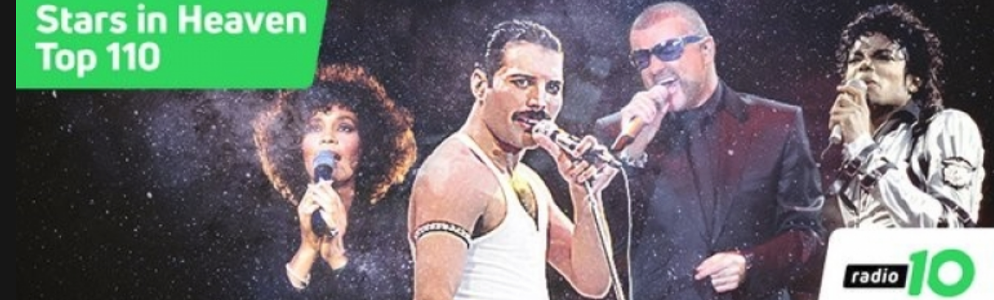
Radio 10 brengt morgen, op Hemelvaartsdag, een eerbetoon aan poplegendes die veel te vroeg zijn overleden. In de ‘Stars in Heaven Top 110’ staan de allergrootste hits van iconen als Prince, George Michael, Amy Winehouse, Freddy Mercury, Whitney Houston, Michael Jackson, Avicii, André Hazes, Elvis Presley en John Lennon. De lijst is samengesteld door luisteraars van Radio 10 en wordt aangevoerd door Queen met ‘Who Wants To Live Forever’. De top 3 bestaat verder uit ‘Careless Whisper’ van George Michael en ‘Wake Me Up’ van de onlangs overleden dj Avicii.
Top 10
- Queen – Who Wants To Live Forever
- George Michael – Careless Whisper
- Avicii – Wake Me Up
- Prince – Purple Rain
- Michael Jackson – Thriller
- David Bowie – Heroes
- George Michael & Queen – Somebody To Love
- Freddie Mercury – The Great Pretender
- The Beatles – Hey Jude
- Amy Winehouse – Back To Black
Avicii is de laatste en hoogst binnenkomende Star in Heaven in de lijst met twee nummers. Naast ‘Wake Me Up’ op nummer 3 staat ‘Hey Brother’ op nummer 21. Queen en Freddie Mercury staan met vijf noteringen in de lijst en zijn het meest populair na George Michael, die in totaal zeven keer te vinden is in de lijst.
De Stars in Heaven Top 110 is donderdag 10 mei tussen 07:00 uur en 16:00 uur te horen bij Radio 10. De lijst is ook te zien en te downloaden op radio10.nl.




Aanbevolen antwoorden
Doe mee aan het gesprek
Je plaatst een bericht als gast. Indien je al een account hebt, kun je je nu aanmelden om het bericht met je account te plaatsen.
Opmerking: Je bericht moet eerst worden goedgekeurd door een moderator voordat het zichtbaar is.