




Sting opent Radio 10 Top 4000

Artikel geplaatst door de redactie in Nederland
· 1.871 weergaven
Gordon Matthew Thomas Sumner, beter bekend als Sting, opent op vrijdag 4 december om iets voor 09:00 uur de Top 4000 van Radio 10. Dit maakte Radio 10-dj Gerard Ekdom zojuist bekend in zijn programma ‘Ekdom in de Morgen’. Sting zal op geheel eigen wijze de grootste en meest complete hitlijst van Nederland openen. Daarnaast interviewt Gerard de zanger uitgebreid over onder andere hoe hij dit jaar beleefd heeft door de coronacrisis en over zijn muziekplannen. De lijst met de 4000 grootste hits aller tijden is van 4 tot en met 24 december te beluisteren op Radio 10.
Sting gooit ieder jaar hoge ogen in de Top 4000. De zanger bemachtigde vorig jaar in totaal 22 noteringen in de grootste en meest complete hitlijst van Nederland, waarvan acht als soloartiest, drie duetten en elf noteringen samen met de Engelse rockband 'The Police'.
Top 4000
De ‘Top 4000’ is de grootste en meest complete hitlijst van Nederland. Van grote popklassiekers tot vergeten hits en guilty pleasures: alles staat er in. De lijst is samengesteld door luisteraars en is van 4 tot en met 24 december te horen op Radio 10.
De officiële opening van de Top 4000 is op 4 december om iets voor 09.00 uur te horen bij Radio 10.
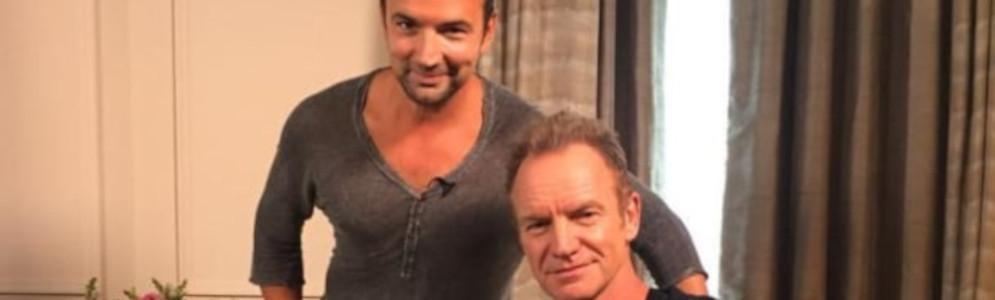
Afbeelding: Gerard Ekdom en Sting (foto Radio 10, genomen tijdens een eerdere ontmoeting voor corona)



Aanbevolen antwoorden
Doe mee aan het gesprek
Je plaatst een bericht als gast. Indien je al een account hebt, kun je je nu aanmelden om het bericht met je account te plaatsen.
Opmerking: Je bericht moet eerst worden goedgekeurd door een moderator voordat het zichtbaar is.