




SLAM! maakt eerste namen Spin for Life bekend: Kris Kross Amsterdam, Laura van Dam en Mr. Belt & Wezo

Artikel geplaatst door de redactie in Nederland
· 667 weergaven
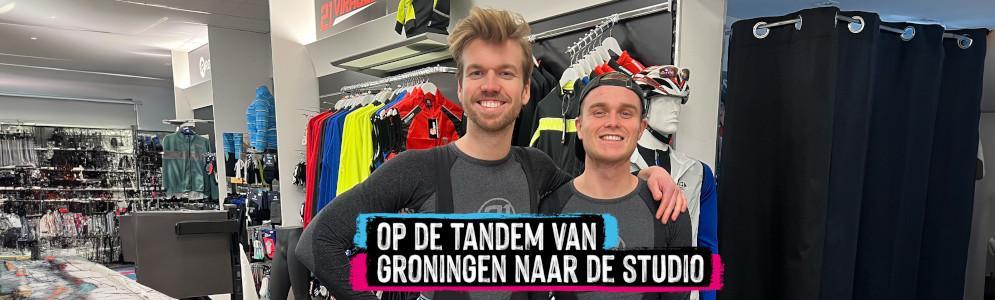
De tweede editie van Spin for Life vindt op 6 maart plaats in DeFabrique in Utrecht. Tijdens dit benefiet-evenement stappen duizenden deelnemers op spinningfietsen om geld op te halen voor kankeronderzoek. De eerste namen op de line-up zijn Kris Kross Amsterdam, Laura van Dam en het dj-duo Mr. Belt & Wezol. Het nieuws werd bekendgemaakt door SLAM!-dj’s Anoûl Hendriks en Marijn Oosterveen tijdens een 200 kilometer lange tandemtocht van Groningen naar Amsterdam.
Spin for Life is een initiatief van Fight Cancer en combineert sport en muziek voor het goede doel. Deelnemers fietsen op het ritme van bekende dj’s en halen zo geld op voor kankeronderzoek. Kris Kross Amsterdam zorgt voor een energieke show, terwijl Laura van Dam en Mr. Belt & Wezol het publiek meenemen in hun kenmerkende dance-sound. Mr. Belt & Wezol, bestaande uit Bart Riem en Sam van Wees, brak vorig jaar internationaal door met de hit It’s Not Right But It’s Okay en won de ‘SLAM! Global Breakthrough Award’.
SLAM! zal het evenement live verslaan en roept luisteraars op zich aan te melden via slam.nl/tandem. De volledige line-up wordt later bekendgemaakt.
Afbeelding: Marijn Oosterveen en Anoûl Hendriks (foto SLAM!)
Aanbevolen antwoorden
Doe mee aan het gesprek
Je plaatst een bericht als gast. Indien je al een account hebt, kun je je nu aanmelden om het bericht met je account te plaatsen.
Opmerking: Je bericht moet eerst worden goedgekeurd door een moderator voordat het zichtbaar is.