




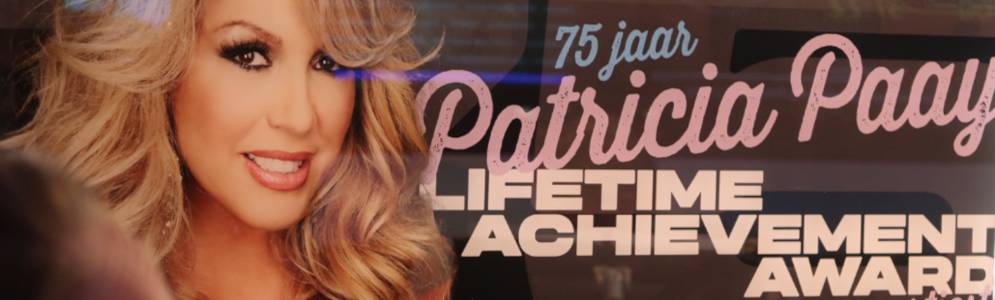
Patricia Paay ontvangt De Weekendborrel Lifetime Achievement Award op NPO Radio 5

Artikel geplaatst door de redactie in Nederland
· 560 weergaven
Op NPO Radio 5 werd Patricia Paay tijdens De Weekendborrel verrast met Lifetime Achievement Award, uitgereikt door AVROTROS. De prijs werd overhandigd door dj en muziekproducent Ronald Molendijk.
“Het is de hoogste tijd dat deze fantastische vakvrouw een award ontvangt voor alles wat ze heeft betekend”, zegt Jan Paparazzi, presentator van De Weekendborrel. Collega-presentator Corné Klijn voegt daar aan toe: “Patricia Paay is net 75 geworden en zit dit jaar zestig jaar in het vak. En nog altijd sprankelend en vol allure, dat verdient een bekroning.”
Patricia Paay
Paay maakte haar debuut in 1965 en bracht vervolgens singles uit als 'Je bent niet hip' en 'Jij' (waarmee ze deelnam aan het Nationaal Songfestival). Na korte periodes in verschillende groepen (Heart, Himalaya), brak Paay pas echt door in 1974 met discohits als 'Who's That Lady With My Man'. In 1983 vormde ze samen met haar zus Yvonne Keeley de Star Sisters, een covergroep van de Andrews Sisters. Onlangs verscheen een uitgebreide cd-box met veel van haar bekende werk en niet eerder uitgebracht materiaal.
Afbeelding: Patricia Paay (foto AVROTROS)



Aanbevolen antwoorden
Doe mee aan het gesprek
Je plaatst een bericht als gast. Indien je al een account hebt, kun je je nu aanmelden om het bericht met je account te plaatsen.
Opmerking: Je bericht moet eerst worden goedgekeurd door een moderator voordat het zichtbaar is.